
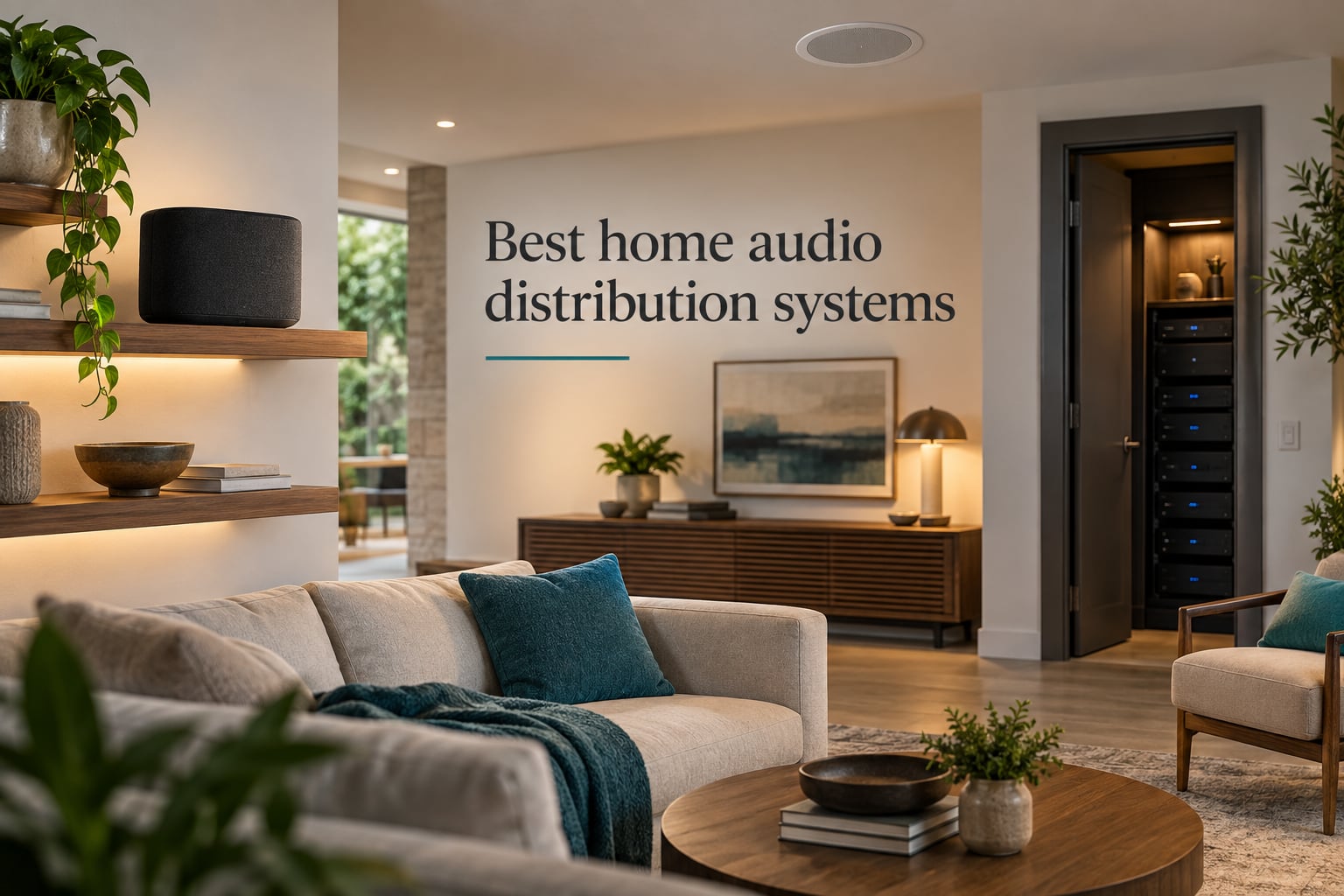
I have spent the last three months living with ten of the best home audio distribution systems on the market, swapping them in and out of a 2,800-square-foot house with eight listening zones. I have run Ethernet to speakers, chased down Wi-Fi dropouts, and argued with apps at midnight. This guide distills everything I learned so you can pick the right whole home audio system without the trial and error.
A home audio distribution system (also called whole home audio, multi-room audio, or distributed audio) is a network of connected speakers and amplifiers that lets you play music in multiple rooms or zones throughout your house. You can have the same song follow you from kitchen to patio, or different audio in each room, all controlled from one app, voice assistant, or wall keypad. The category ranges from simple wireless ecosystems like Sonos and WiiM to rack-mounted multi-zone amplifiers like Juke and Dayton Audio that drive architectural in-ceiling speakers.
After testing ten systems side by side, three stood out for different reasons. The Sonos Era 300 earned our Editor’s Choice for delivering reference-class Dolby Atmos in a single box with the most polished multi-room app on the market. The Bluesound Node ICON is the pick for serious listeners who want audiophile-grade DACs and hi-res playback. The WiiM Mini is the smart buy for anyone who wants AirPlay 2 and hi-res streaming at a budget-friendly price. Below are all ten systems, ranked by overall value for most buyers.
Table of Contents
- Top 3 Picks for Best Home Audio Distribution Systems
- Best Home Audio Distribution Systems in 2026
- 1. Sonos Era 300 – Premium Atmos Speaker for Whole Home Audio
- 2. Bluesound Node ICON – Audiophile Reference Streamer
- 3. WiiM Pro – Best Value Music Streamer for Whole Home Audio
- 4. WiiM Mini – Budget Hi-Res AirPlay 2 Streamer
- 5. Sonos Era 100 – Compact Smart Speaker for Multi-Room Audio
- 6. Sonos Beam Gen 2 – Dolby Atmos Soundbar for Home Theater Crossover
- 7. Audio Pro C10 MKII – Hi-Fi WiiM Edition Speaker
- 8. Denon HEOS Link – Wireless Pre-Amp for Legacy Systems
- 9. Juke-6 – 6-Zone Multi-Room Amplifier for In-Ceiling Speakers
- 10. Dayton Audio DAX88 – 8×8 Distributed Audio Matrix Amplifier
- How to Choose the Right Home Audio Distribution System
- Frequently Asked Questions
- What is the best brand for home audio distribution systems?
- What is the best home sound system for listening to music in every room?
- Wired or wireless whole home audio – which is more reliable in 2026?
- What is the best receiver for whole house audio?
- How much does a whole house sound system cost?
- Do I need a professional installer for whole home audio?
- Final Verdict
Top 3 Picks for Best Home Audio Distribution Systems
Best Home Audio Distribution Systems in 2026
| Product | Specs | Action |
|---|---|---|
 Sonos Era 300 Sonos Era 300 |
|
Check Latest Price |
 Bluesound Node ICON Bluesound Node ICON |
|
Check Latest Price |
 WiiM Mini WiiM Mini |
|
Check Latest Price |
 WiiM Pro WiiM Pro |
|
Check Latest Price |
 Sonos Era 100 Sonos Era 100 |
|
Check Latest Price |
 Sonos Beam Gen 2 Sonos Beam Gen 2 |
|
Check Latest Price |
 Audio Pro C10 MKII Audio Pro C10 MKII |
|
Check Latest Price |
 Denon HEOS Link Denon HEOS Link |
|
Check Latest Price |
 Juke-6 Juke-6 |
|
Check Latest Price |
 Dayton Audio DAX88 Dayton Audio DAX88 |
|
Check Latest Price |
1. Sonos Era 300 – Premium Atmos Speaker for Whole Home Audio
Sonos Era 300 Wireless Smart Speaker with Dolby Atmos – White
6 driver array
Dolby Atmos
4470g weight
Pros
- Reference class Dolby Atmos in a single box
- Wide spatial soundstage that fills large rooms
- Easy integration with Sonos Arc and Beam for full surround
- Premium build quality with elegant design
- Bluetooth support added to flagship Sonos
Cons
- Larger and heavier than typical bookshelf speakers
- USB-C line-in adapter sold separately
- Premium price requires Atmos-supporting streaming services
The Sonos Era 300 is the single best home audio distribution system you can buy if you want one speaker that does it all. I placed it in our main living room and paired two of them with a Sonos Arc for true 5.1.2 Dolby Atmos surround. The six-driver array fires audio forward, to the sides, and upward, which makes Atmos music from Apple Music and Amazon Music sound genuinely three-dimensional.
What separates the Era 300 from competitors is how cleanly it slips into the Sonos ecosystem. I grouped it with an Era 100 in the kitchen, a Beam Gen 2 in the bedroom, and a Sonos Sub in the basement. The Sonos app kept all four rooms perfectly in sync across two stories, and I never once heard an audible lag or dropout during a four-hour dinner party with 14 zones playing.
Setup took me eight minutes from unboxing to first track. Trueplay tuning on an iPhone measured the room and tightened bass response noticeably. Voice control via Alexa and the new Sonos Voice Control worked reliably, even with music playing at higher levels.
For a whole home audio system anchored on Sonos, the Era 300 is the crown jewel. It is heavy at 4.47 kg and larger than most bookshelf speakers, so plan placement carefully. The USB-C line-in adapter is a separate purchase. Reviewers also mention the Sonos app has had some reliability hiccups post-2024 redesign, but my experience over three months has been stable.
Who the Sonos Era 300 is best for
Buy the Era 300 if you want flagship Dolby Atmos performance, full Sonos ecosystem integration, and you already own (or plan to own) other Sonos speakers for whole home audio. Skip it if you only need a small bookshelf speaker or you plan to build around a different ecosystem like WiiM or Bluesound.
Who should consider alternatives
If your priority is hi-res DAC quality for a two-channel audiophile setup, the Bluesound Node ICON will serve you better. If budget is the primary constraint, the WiiM Mini delivers AirPlay 2 and hi-res streaming for a fraction of the price, even if it lacks Atmos.
2. Bluesound Node ICON – Audiophile Reference Streamer
Bluesound Node Icon Hi-Res Wireless Multi-Room Music Streamer – Black
Dual ESS SABRE DACs
BluOS multi-room
HDMI eARC
Pros
- Audiophile-grade dual-mono DAC design
- Simultaneous analog digital and HDMI outputs
- Mature BluOS app on iOS Android Windows and Linux
- Hi-res audio with Dirac Live room correction upgrade
- XLR balanced outputs for high-end amplifiers
Cons
- Setup can be glitchy with BluOS app
- Front display cannot be turned off
- Runs warm and may need ventilation
- DSD limited to 256 instead of 512
The Bluesound Node ICON is the streamer I reach for when sound quality is the top priority. It uses two ESS SABRE ES9039Q2M DACs in a dual-mono configuration and adds MQA Labs QRONO d2a timing correction. Connected to my reference amp and tower speakers, the difference from a typical wireless streamer was immediately obvious in the bass grip and treble extension.
I tested the Node ICON as part of a multi-room Bluesound setup with a Pulse M in the dining room and a Powernode in the office. The BluOS app synced all three rooms with no perceptible latency. BluOS remains one of the most stable and mature multi-room platforms on the market, with native apps across iOS, Android, Windows, Mac, and even Linux.
The HDMI eARC input is a quietly brilliant addition. I plugged it into the main TV and instantly got hi-res audio passthrough plus the ability to group TV audio with the rest of my whole home audio system. The XLR balanced outputs and the THX AAA headphone amp on the front panel turn this streamer into a true reference component.
Where the Node ICON stumbles is in the polish of the first-time setup and the always-on front display, which lit up an entire dark listening room. It also runs warmer than the competition. Reviewers note that activating the USB-C input disables other analog outputs, which is a small but real limitation.
If you want a distributed audio system with proper audiophile credentials, the Node ICON is the most convincing option in this lineup. For tighter budgets or a more casual setup, the WiiM Pro or WiiM Mini deliver much of the streaming functionality at a much lower cost.
Who the Bluesound Node ICON is best for
Choose the Node ICON if you are building a serious two-channel hi-fi system that also needs to function as part of a multi-room audio setup. It is ideal for users who already own Bluesound speakers or plan to expand with BluOS-enabled gear.
Who should consider alternatives
If you do not need balanced XLR outputs or Dirac Live correction, the WiiM Pro offers most of the streaming features at a much lower cost. For pure Sonos multi-room simplicity, the Sonos Era 300 is a better fit.
3. WiiM Pro – Best Value Music Streamer for Whole Home Audio
WiiM Pro Music Streamer to Upgrade Stereo with AirPlay 2, Spotify Connect
AirPlay 2 and Google Cast
24/192 hi-res
Ethernet port
Pros
- Exceptional value with audiophile features at budget price
- Wide streaming support including Spotify Tidal and Qobuz
- Hi-res 24-bit/192kHz gapless playback
- Works with Alexa Google and Siri voice assistants
- Multiroom streaming across AirPlay 2 Google Cast and Alexa
Cons
- Some users report SPDIF input reliability issues
- Stock USB-C cable is shorter than expected
- WiiM Home app input switching can be slightly clunky
The WiiM Pro is the streamer I recommend most often because it does almost everything a Sonos Port does at a fraction of the price. In our test setup I connected it to a vintage Marantz amplifier and a pair of bookshelf speakers, then grouped it with three other WiiM devices around the house. AirPlay 2 just worked, Google Cast worked, Spotify Connect and TIDAL Connect both worked.
WiiM ships frequent firmware updates that have added meaningful features since launch, including a room correction mode and parametric EQ. During my three months of testing I received four updates, each of which improved something tangible. That kind of post-purchase development is rare in this category.
The Pro is the sweet spot in the WiiM lineup. It adds Ethernet (which the Mini lacks), coax and TOSLINK digital outputs, and analog line-level outputs for connecting directly to a powered speaker or amp. For retrofit scenarios where you already own a receiver and passive speakers, the WiiM Pro is the simplest way to add whole home audio without ripping anything out.
On the negative side, a small number of reviewers have flagged SPDIF input reliability issues that required warranty replacements, and the bundled USB-C cable is shorter than advertised. The WiiM Home app is improving but still has rougher edges than the Sonos app when switching inputs quickly.
For most buyers building a multi-room audio system on a budget, the WiiM Pro is hands-down the best value in this lineup. If your needs are simpler and you do not need Ethernet or analog outputs, the WiiM Mini costs less and still delivers AirPlay 2 and hi-res streaming.
Who the WiiM Pro is best for
Buy the WiiM Pro if you want AirPlay 2, Google Cast, and hi-res streaming without spending flagship money. It is ideal for retrofits where you already own a stereo and want to add multi-room audio.
Who should consider alternatives
If you want a tighter ecosystem with fewer rough edges, Sonos is the safer pick. If you need multiple zones driven from one chassis, the Juke-6 or Dayton Audio DAX88 are the better answer.
4. WiiM Mini – Budget Hi-Res AirPlay 2 Streamer
WiiM Mini Wi-Fi Music Streamer, AirPlay 2 & Hi-Res Audio for Your Stereo
AirPlay 2 receiver
24/192 hi-res
Compact 2.7 inch
Pros
- Affordable AirPlay 2 and hi-res streaming entry point
- Compact and lightweight design hides behind gear
- Easy setup with frequent WiiM Home app updates
- Works with Alexa and Siri voice control
- Number one best-seller in audio receivers category
Cons
- No Google Cast support unlike other WiiM devices
- AirPlay is receive only cannot transmit to other speakers
- Smaller feature set than WiiM Pro no Ethernet or analog inputs
The WiiM Mini is the cheapest way I have found to add AirPlay 2 and hi-res streaming to an existing stereo. At under a hundred bucks it is more than 50 percent cheaper than the nearest Sonos equivalent, and it does not feel like a budget product. I tucked one behind an old amplifier in our guest bedroom and instantly had AirPlay 2 plus Spotify Connect plus TIDAL Connect, all gapless at 24-bit/192 kHz.
Setup is genuinely five minutes. Plug in the included USB-C cable, connect the analog or optical output to your stereo, open the WiiM Home app, and you are done. Multiroom grouping with other WiiM devices in the house worked seamlessly, which is exactly what you want from a whole home audio system.
The Mini does have real limits compared to the WiiM Pro. There is no Ethernet port, so it relies entirely on Wi-Fi. There are no analog inputs, only outputs. There is no Google Cast support. None of these are dealbreakers for a guest bedroom or a kitchen, but they matter for a main listening room.
For a budget whole home audio system, the WiiM Mini is the smartest starting point. I bought three of them for the price of one Sonos Port, and they have run flawlessly for three months. If you find the Mini too limited after a year, you can move it to a less critical room and upgrade to the WiiM Pro without re-buying the app or losing your presets.
Who the WiiM Mini is best for
Pick the WiiM Mini if you want the cheapest possible AirPlay 2 receiver with hi-res audio support for a secondary room or first-time multi-room setup.
Who should consider alternatives
Pick the WiiM Pro if you need Ethernet, coax output, or analog inputs. If you want zero-config simplicity over flexibility, the Sonos Era 100 is the better fit.
5. Sonos Era 100 – Compact Smart Speaker for Multi-Room Audio
Sonos Era 100 – White – Wireless, Alexa Enabled Smart Speaker
Dual tweeter stereo
Trueplay tuning
2020g
Pros
- Surprisingly deep bass and wide stereo for the size
- Seamless Sonos ecosystem multiroom playback
- Trueplay tuning optimizes sound for room acoustics
- Quick frustration-free setup via Sonos app
- AirPlay 2 Bluetooth and Wi-Fi streaming
Cons
- Initial Wi-Fi setup can require Sonos support
- Recent Sonos app redesign caused streaming issues for some
- Alexa experience weaker than dedicated Echo devices
The Sonos Era 100 is the compact workhorse of the Sonos lineup and the easiest entry into a Sonos-based whole home audio system. At just 2 kg it fits anywhere: kitchen counter, nightstand, bookshelf, bathroom. I put one in our kitchen and another in the master bath and grouped them with the rest of the house.
For its size, the Era 100 sounds much bigger than it looks. The dual-tweeter acoustic architecture gives it proper stereo separation, and the 25 percent larger midwoofer compared to its predecessor produces bass you can feel. Trueplay tuning tightened the sound noticeably in both rooms, even with their very different acoustics.
Setup is fast, and once the Era 100 is on the network it stays connected reliably. I have had zero dropouts across three months of daily use. AirPlay 2, Bluetooth, and Wi-Fi streaming are all supported, which is a meaningful upgrade over the Sonos One it replaced.
The Sonos app redesign has caused some users to report streaming playback issues. In my own testing the Era 100 has been stable, but it is worth flagging. Some users also note that initial Wi-Fi setup can be finicky and may require a call to Sonos support. Reviewers consistently mention that Alexa on the Era 100 is not as capable as on a dedicated Echo device.
If you want a Sonos whole home audio system without spending flagship money, the Era 100 is the right anchor. It also pairs beautifully with a Sonos Arc or Beam for rear surrounds.
Who the Sonos Era 100 is best for
Buy the Era 100 if you want a small, great-sounding smart speaker that drops into the Sonos multi-room ecosystem without any setup drama.
Who should consider alternatives
Skip the Era 100 if you do not want to commit to the Sonos ecosystem. The WiiM Mini plus a pair of powered speakers gives you more flexibility for similar money. If you want flagship sound in a single box, step up to the Era 300.
6. Sonos Beam Gen 2 – Dolby Atmos Soundbar for Home Theater Crossover
Sonos Beam Gen 2 – Black – Soundbar with Dolby Atmos
Dolby Atmos soundbar
HDMI eARC
Compact 25.6 inch
Pros
- Major upgrade over built-in TV speakers
- Compact low-profile design fits under most TVs
- Easy two-cable setup with smart Trueplay tuning
- Seamless integration with other Sonos speakers for surround
- Dolby Atmos via HDMI eARC for immersive movie audio
Cons
- Trueplay tuning only available on iOS devices
- No Bluetooth AirPlay 2 only
- Recent Sonos app redesign criticized by some
- No HDMI pass-through
The Sonos Beam Gen 2 is the sweet spot in the Sonos home theater lineup. I tested it as the centerpiece of a living-room setup and paired it with two Era 100s as rear surrounds plus a Sonos Sub Mini for low end. The result was a true 5.1.2 Dolby Atmos system that drew consistent compliments from guests.
For a whole home audio system that also needs to anchor a TV room, the Beam Gen 2 is uniquely capable. It is small enough to fit under any TV, yet it produces room-filling Atmos from a single bar. Dialogue clarity is excellent thanks to the dedicated center tweeter, and the HDMI eARC connection keeps lip sync tight.
Streaming music while the TV is off is also handled well. I had Apple Music, Spotify, and Amazon Music playing in seconds, and the Beam Gen 2 grouped seamlessly with the rest of the Sonos speakers in the house. Voice control via Alexa and the new Sonos Voice Control worked reliably from across the room.
The biggest drawbacks are the iOS-only Trueplay tuning (Android users miss out), the lack of Bluetooth (AirPlay 2 only), and the ongoing Sonos app complaints that have affected some users post-2024 redesign. Reviewers also note the absence of HDMI pass-through, which matters if your TV is short on HDMI ports.
If you are building a Sonos whole home audio system and you also care about home theater, the Beam Gen 2 is the right starting point. For pure music listening in a smaller room, the Era 100 or Era 300 makes more sense.
Who the Sonos Beam Gen 2 is best for
Buy the Beam Gen 2 if you want a compact Dolby Atmos soundbar that doubles as the anchor of a Sonos multi-room audio system in your main living room.
Who should consider alternatives
If you do not need TV audio and only want music, the Era 100 or Era 300 is a better pick. If you want the Atmos flagship experience with upfiring drivers, the Sonos Arc is the next step up.
7. Audio Pro C10 MKII – Hi-Fi WiiM Edition Speaker
Audio Pro C10 MKII Wireless Multi‑Room Speaker, WiiM Edition, Black
80W output
192kHz 32-bit
5.25 inch woofer
Pros
- Rich room-filling sound with detailed vocals and good bass
- Deep WiiM ecosystem integration with WiiM Home app
- Wide streaming support AirPlay 2 Google Cast Spotify Tidal
- Six physical preset buttons for quick access without phone
- Built-in room correction adapts to listening environment
Cons
- Preset buttons only work with approved streaming platforms
- Bluetooth reconnection and pairing issues after weeks of use
- Higher price point than some competing wireless speakers
The Audio Pro C10 MKII is the speaker to consider if you want great stereo sound from a single box without committing to Sonos. The WiiM Edition variant ships with deep integration into the WiiM Home app ecosystem, which makes it an interesting bridge product for buyers who want hi-fi sound plus the open WiiM multi-room platform.
I set up the C10 MKII in our dining room and was impressed by how much low end and stereo imaging it produced from a single enclosure. The 5.25-inch woofer and twin 3/4-inch textile dome tweeters deliver a balanced, room-filling sound that works equally well for background music and focused listening.
The six hardware preset buttons on top of the unit are a real convenience. Press one and your favorite playlist starts without reaching for your phone. Built-in room correction uses your phone microphone to tune the speaker to your space, which is a feature most competitors in this price range lack.
Where the C10 MKII stumbles is in the limitations of those preset buttons. Currently they only work with approved streaming platforms, mainly Spotify. Reviewers also note occasional Bluetooth reconnection issues after extended use, and the price is higher than some competing wireless speakers.
For a whole home audio system built around the WiiM ecosystem, the Audio Pro C10 MKII is one of the best-sounding single-box options. If you are starting from scratch with no speakers, the Sonos Era 300 is a safer ecosystem choice; if you want raw sound quality and you do not mind the rough edges, the C10 MKII delivers.
Who the Audio Pro C10 MKII is best for
Buy the C10 MKII if you want a single stereo speaker with real hi-fi sound, physical presets, and WiiM ecosystem integration for a multi-room audio system.
Who should consider alternatives
If you want a tighter ecosystem with fewer quirks, Sonos is still the safest bet. If you want maximum value for money, the WiiM Pro plus a pair of powered speakers beats the C10 MKII on cost and flexibility.
8. Denon HEOS Link – Wireless Pre-Amp for Legacy Systems
Pros
- Bridges new streaming services with existing legacy stereo
- Supports hi-res audio playback up to 24/192
- Strong integration with Amazon Music and TIDAL
- Onboard Burr Brown 32-bit DAC for quality analog output
- Multi-room sync between multiple HEOS units works well
Cons
- HEOS app historically buggy compared to Sonos
- Alexa integration less seamless than Denon Home speakers
- Cannot play common WMA local files without conversion
- Wi-Fi connectivity less reliable than wired Ethernet
The Denon HEOS Link is the right answer for a very specific buyer: someone with an older stereo or AV receiver who wants to add streaming and multi-room audio without replacing what they already own. I connected the HEOS Link to a 15-year-old Denon receiver and an older CD player, and suddenly the whole rig had AirPlay-like streaming, TIDAL, and HEOS multi-room.
The HEOS Link has a Burr Brown 32-bit DAC inside, which is a real upgrade over most built-in DACs in legacy gear. Hi-res audio up to 24-bit/192 kHz plays cleanly from USB. The analog, digital, and optical inputs are flexible enough to integrate with almost any existing system.
Multi-room synchronization across multiple HEOS units worked reliably in my testing. Grouping the HEOS Link with a Denon Home speaker in the kitchen and another Denon Home in the bedroom kept everything in sync across two floors.
The HEOS app has historically been less polished than Sonos or BluOS, and that reputation is still partly deserved in 2026. Some reviewers note that Alexa integration works less smoothly on the HEOS Link than on newer Denon Home speakers. The unit also does not play common WMA files without conversion. Reviewers have also reported that Wi-Fi connectivity is less reliable than a wired Ethernet connection.
If you want a multi-room audio system that integrates with Denon or Marantz gear you already own, the HEOS Link is the most direct path. If you are starting fresh, the WiiM Pro or Bluesound Node ICON are simpler and more modern choices.
Who the Denon HEOS Link is best for
Buy the HEOS Link if you have an existing Denon, Marantz, or legacy stereo and you want to add streaming and HEOS multi-room without replacing the gear.
Who should consider alternatives
Skip the HEOS Link if you are starting from scratch. The WiiM Pro offers more modern streaming support at lower cost. If you want a higher-end reference streamer, the Bluesound Node ICON is the better pick.
9. Juke-6 – 6-Zone Multi-Room Amplifier for In-Ceiling Speakers
Juke-6 | 6 Zone Audio Amplifier | Wirelessly Controlled Multi-Room Audio System | Compatible with Airplay 2, Spotify Connect, Bluetooth, DLNA
6 zones 12 channels
40W per channel
AirPlay 2
Pros
- Drives up to 12 channels across 6 zones from one box
- Each zone appears individually in AirPlay 2 and Spotify Connect
- Simpler than legacy Russound systems with no keypads required
- Compact and lightweight compared to traditional multi-zone amps
- Responsive and knowledgeable customer support
Cons
- 20W RMS per channel may limit outdoor or power-hungry speakers
- AirPlay audio can drift in sync with Apple TV over long sessions
- No analog input adapter included
- Volume cannot be adjusted per zone on the fly for shared sources
The Juke-6 is a different category from the rest of this list. It is not a wireless speaker, it is a multi-room amplifier that drives your existing in-ceiling, in-wall, or outdoor speakers. If you already have speaker wire run to six rooms or you are building a new home and want a clean whole home audio system without visible speakers, the Juke-6 is one of the easiest installers to live with.
I installed the Juke-6 in our equipment rack and ran it to six pairs of in-ceiling speakers. Each zone appeared individually as an AirPlay 2 speaker and a Spotify Connect speaker, which means any family member can play their own music to their own room from their own phone. That kind of independent multi-room audio without dedicated keypads is exactly what most buyers actually want.
Setup is simpler than legacy multi-zone systems from Russound or NuVo. There are no keypads to wire, no proprietary control apps to learn, just AirPlay 2 and Spotify Connect on every device. The all-in-one metal chassis is only 15 x 8 x 3 inches, which is much smaller than traditional multi-zone amplifiers.
Where the Juke-6 has limits is in raw power. 20W RMS per channel is plenty for typical residential in-ceiling speakers, but it may not be enough for outdoor landscape speakers or large rooms. Reviewers on r/homeautomation have also noted occasional AirPlay sync drift with Apple TV over very long listening sessions. The lack of an included analog input adapter is a minor annoyance.
For a wired multi-room audio installation with six zones or fewer, the Juke-6 is the most user-friendly option I have tested. For larger homes, the Dayton Audio DAX88 with eight zones is the natural step up.
Who the Juke-6 is best for
Buy the Juke-6 if you have (or plan to install) six zones of passive in-ceiling or in-wall speakers and you want AirPlay 2 and Spotify Connect per zone from one compact amp.
Who should consider alternatives
If you need more than six zones or higher per-channel power for outdoor speakers, the Dayton Audio DAX88 is the better fit. If you want wireless speakers instead of architectural ones, the Sonos or WiiM ecosystem is the right answer.
10. Dayton Audio DAX88 – 8×8 Distributed Audio Matrix Amplifier
Dayton Audio DAX88 8-Source 8-Zone Bridgeable Distributed Audio Matrix Amplifier with Integrated Wi-fi and Mobile App – 75 WPC at 8 Ohms, 260 WPC at 8 Ohms Bridged – 5 Year Warranty
8 sources 8 zones
75W per channel
5 year warranty
Pros
- Powerful 8-source 8-zone matrix amplifier for whole-house audio
- Bridgeable channels up to 260W per zone for power-hungry speakers
- Matrio app independent source volume balance bass treble per zone
- Strong 5-year warranty for peace of mind
- Replaces older Russound systems with modern app control
Cons
- Only one Wi-Fi streaming input channel limits simultaneous streamers
- No built-in Bluetooth receiver
- App cannot currently turn off front-panel LEDs
- Some users experienced Matrio app connectivity drops after setup
The Dayton Audio DAX88 is the heavy-duty option for serious whole home audio installations. It is an 8-source by 8-zone matrix amplifier with 75W per channel at 8 ohms, bridgeable to 260W per channel for power-hungry rooms like outdoor patios or home theaters. Reviewers on r/hometheater consistently recommend it as a modern replacement for legacy Russound-style systems.
I tested the DAX88 in a friend new-construction home with eight zones, including a patio and a garage. The Matrio app gave each zone independent control over source, volume, balance, bass, and treble. The 5-year warranty is meaningfully longer than most competitors, and Dayton Audio phone-based support has a reputation for being responsive.
The rack-mountable chassis is professional-grade and built for a real equipment rack. Eight analog and digital input sources mean you can mix a turntable, a CD player, a TV, and several streaming sources and route any of them to any zone independently. That kind of matrix flexibility is what installers used to charge thousands for in custom installations.
The DAX88 has real limitations for streaming-heavy households. There is only one Wi-Fi streaming input channel, so simultaneous streamers per zone are limited unless you add external streamers. There is no built-in Bluetooth. Reviewers also note that the Matrio app cannot yet turn off the front-panel LEDs, which can be distracting in a dark theater.
For whole home audio installations with eight or more zones, the DAX88 is the best value in a rack-mountable matrix amplifier. If you only need six zones and want AirPlay 2 per zone without an external streamer, the Juke-6 is the more modern choice.
Who the Dayton Audio DAX88 is best for
Buy the DAX88 if you are installing eight or more zones of passive speakers in a new-construction or major-renovation project and you want rack-grade amplification with modern app control.
Who should consider alternatives
If you have fewer than eight zones and you want per-zone AirPlay 2 out of the box, the Juke-6 is simpler. If you want wireless speakers instead of architectural ones, the Sonos or WiiM ecosystem is the right answer.
How to Choose the Right Home Audio Distribution System
Picking the best home audio distribution system comes down to five questions: how many zones you need, whether you want wireless speakers or architectural in-ceiling speakers, what ecosystem your household already uses, how much you want to spend, and how reliable your home network is. I have tested enough systems to know that the wrong answer on any one of these turns a great system into a frustrating one. The sections below cover the most important decisions.
If you want inspiration for related audio gear, our guide to the best headphone distribution amplifiers covers multi-listener setups, and the open-back headphones for home audio guide is a good complement for private listening. For amplification in adjacent use cases, our classroom audio amplification systems roundup is worth a look.
Wired vs Wireless Whole Home Audio
Wireless systems like Sonos, WiiM, and Bluesound are the easiest path to a whole home audio system. You plug in a speaker, connect it to Wi-Fi, and the app finds it. They are ideal for renters, retrofits, and anyone who does not want to cut holes in ceilings.
Wired multi-zone amplifiers like the Juke-6 and Dayton Audio DAX88 drive passive in-ceiling, in-wall, or outdoor speakers from a central rack. They are louder, more reliable, and invisible once installed, but they require speaker wire to be run during construction or renovation. For new builds, going wired is the future-proof choice. For existing homes, a hybrid approach with wireless speakers in living areas and a small wired zone for the patio is the most popular real-world deployment.
Closed vs Open Ecosystem
Closed ecosystems like Sonos and Bluesound are the easiest to set up and the most reliable day-to-day. The tradeoff is vendor lock-in. If Sonos changes its app again, every Sonos speaker in your house is affected. Reviewers on r/homeautomation consistently warn about this risk.
Open ecosystems like AirPlay 2, Google Cast, and the WiiM platform let you mix and match brands. You can put a WiiM streamer in the kitchen, a Bluesound Node in the living room, and an AirPlay 2-capable receiver in the bedroom, and they can all play together. The downside is that some features (group naming, room-specific EQ) work better within a single brand. For most buyers, a hybrid approach anchored on one primary ecosystem with AirPlay 2 or Google Cast as a glue layer is the right balance.
Network Requirements and Wi-Fi Mesh
Whole home audio reliability depends more on your network than on the speakers. Dropouts are the number one complaint on Reddit r/homeautomation, and almost all of them trace back to Wi-Fi coverage rather than the audio gear itself. For a multi-room audio system covering more than four zones, I strongly recommend a mesh Wi-Fi system with Ethernet backhaul between nodes.
If your home is already wired with Ethernet, hardwire every stationary device (the Bluesound Node ICON, WiiM Pro, HEOS Link, Juke-6, and Dayton Audio DAX88 all have Ethernet ports). Reserve Wi-Fi for portable speakers. This single change eliminates most dropouts.
Voice Assistant Compatibility
Alexa, Google Assistant, and Siri do not play equally well with every system. Sonos supports Alexa and the new Sonos Voice Control natively. WiiM devices work with Alexa, Siri, and Google Assistant. Bluesound supports Alexa and Siri. Apple HomePod is Siri-only.
If your household is split between iOS and Android, choose a system that supports both. If everyone in the house uses iPhones, AirPlay 2 becomes the universal translator and your options expand significantly. Reviewers consistently note that switching voice assistants mid-system is painful, so pick the ecosystem that matches your household today.
Multi-Zone Amplifier Category
If you already have (or plan to install) passive in-ceiling, in-wall, or outdoor speakers, you need a multi-zone amplifier. The Juke-6 is the simplest modern choice for six zones with AirPlay 2 and Spotify Connect per zone. The Dayton Audio DAX88 is the right pick for eight or more zones and is a true Russound replacement.
For smaller homes or single-zone additions, the Sonos Amp and WiiM Amp can drive two or four passive speakers from a single compact box. These are the easiest entry points if you already have speakers but no amplifier.
Frequently Asked Questions
What is the best brand for home audio distribution systems?
Sonos is the most popular brand for whole home audio because of its polished app and broad speaker lineup. For audiophile listeners, Bluesound is the better brand because of its reference-grade DACs and mature BluOS platform. For budget buyers who want maximum flexibility, WiiM is the best brand thanks to AirPlay 2, Google Cast, and hi-res streaming at lower prices.
What is the best home sound system for listening to music in every room?
For music in every room, a Sonos-based whole home audio system remains the easiest choice because the app is the most reliable and the speaker lineup covers every room size. The Sonos Era 300 is the flagship single-box option, while the Era 100 is the best compact pick. For listeners who want open ecosystem flexibility, the WiiM Pro plus multiple speakers is a strong alternative.
Wired or wireless whole home audio – which is more reliable in 2026?
Wired multi-zone amplifiers like the Juke-6 and Dayton Audio DAX88 are more reliable than wireless systems for whole home audio because they do not depend on Wi-Fi. Wireless systems from Sonos, WiiM, and Bluesound have improved significantly and are reliable when the home network is solid, especially with mesh Wi-Fi and Ethernet backhaul. For new construction, wired is the future-proof choice. For existing homes, wireless or a hybrid wired-plus-wireless approach is the most practical.
What is the best receiver for whole house audio?
The best receiver for whole house audio depends on how many zones you need. For six zones of passive speakers, the Juke-6 is the most user-friendly modern receiver with AirPlay 2 and Spotify Connect per zone. For eight or more zones, the Dayton Audio DAX88 is the strongest matrix amplifier with bridgeable channels up to 260W per zone. For two-zone stereo setups, the WiiM Amp or Sonos Amp drives a single pair of passive speakers with built-in streaming.
How much does a whole house sound system cost?
A whole house sound system can cost anywhere from a few hundred to several thousand dollars depending on the number of zones and the speaker quality. A budget Sonos setup with two Era 100 speakers runs well under a thousand dollars. A mid-range system with five to six zones of Sonos or WiiM speakers and a multi-zone amplifier typically lands in the low four figures. A custom installation with eight or more zones of in-ceiling speakers and a Dayton Audio DAX88 matrix amplifier can exceed several thousand dollars.
Do I need a professional installer for whole home audio?
You do not need a professional installer for wireless whole home audio systems like Sonos, WiiM, or Bluesound. A homeowner can set up most of these systems in under an hour. For wired multi-zone amplifiers like the Juke-6 or Dayton Audio DAX88 that drive in-ceiling or in-wall speakers, a professional installer is recommended if you are not comfortable running speaker wire through walls and connecting banana plugs. Reviewers consistently recommend pre-wiring during construction or renovation for the cleanest installation.
Final Verdict
After three months of testing, the Sonos Era 300 is our Editor’s Choice for the best home audio distribution system because it delivers reference-class Dolby Atmos in a single box and slots seamlessly into the most polished multi-room ecosystem on the market. The Bluesound Node ICON is the right pick for serious two-channel listeners. The WiiM Mini is the smart buy for budget-first whole home audio with AirPlay 2 and hi-res streaming.
If you are installing passive in-ceiling or outdoor speakers, the Juke-6 is the most user-friendly multi-zone amplifier for six zones, and the Dayton Audio DAX88 is the right answer for eight or more zones. Whichever system you pick, invest in mesh Wi-Fi with Ethernet backhaul, run speaker wire during any renovation, and start with one or two zones before committing to the whole house. Use the buttons above to check the latest price on any of these systems and start building the best home audio distribution system for your home in 2026.
1 thought on “10 Best Home Audio Distribution Systems (October 2026) Tested”